Note
Go to the end to download the full example code.
helpers — End-to-End Workflow
This example chains every dm.helpers submodule in the order an
automation tool typically needs them: validate the input data,
suggest a chart type from its shape, create a pre-styled figure, pick
colours, render the plot, format axis labels, and finally run a
quality check on the result.
Rendering exactly one figure at the end makes this a natural gallery entry for the “complete workflow” recipe.
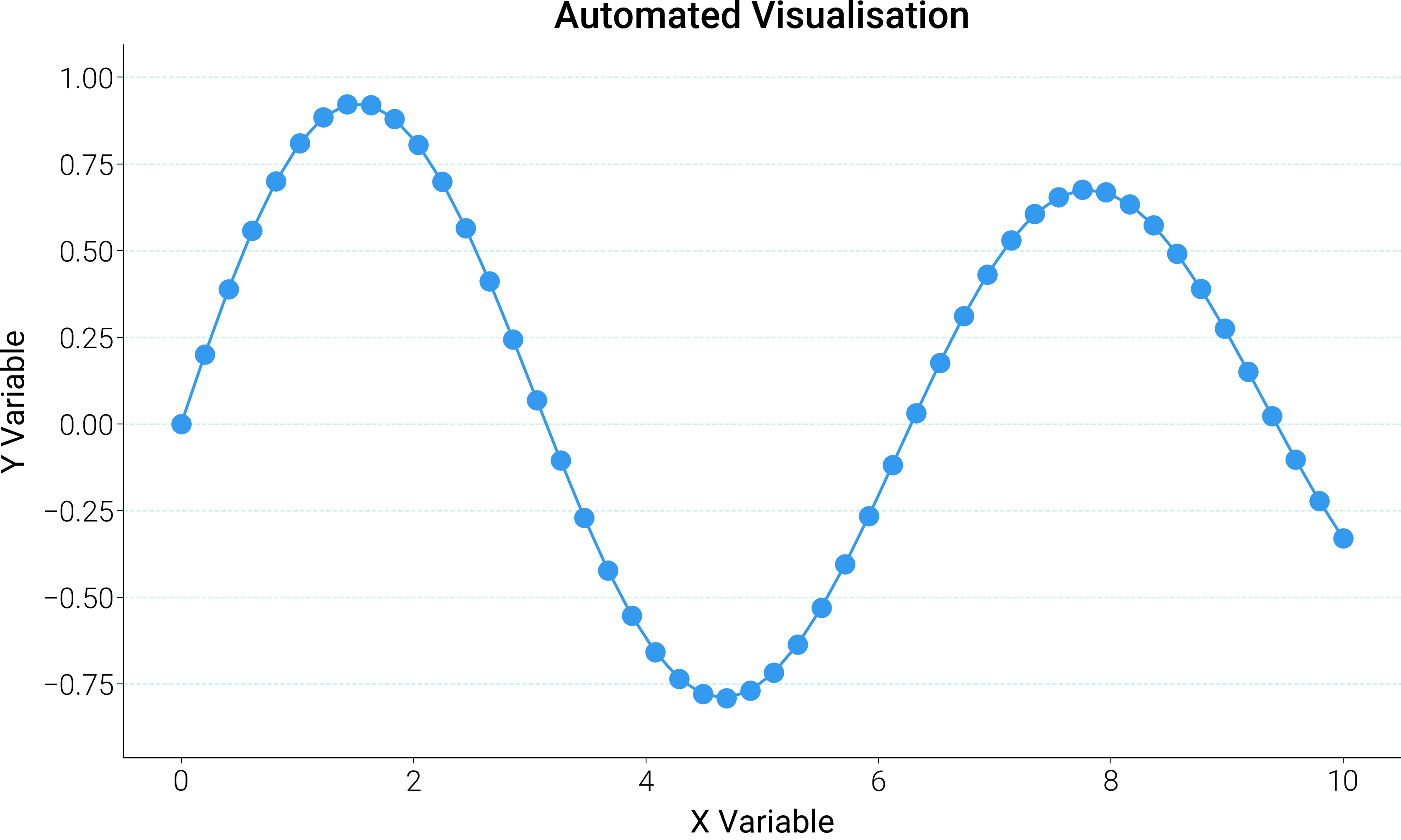
============================================================
HELPERS WORKFLOW DEMONSTRATION
============================================================
Step 1: Validating data ...
    validated: 50 points
Step 2: Determining chart type ...
    suggested: scatter_density
Step 3: Creating figure ...
    style: web
Step 4: Selecting colours ...
    palette: categorical
Step 5: Rendering ...
Step 6: Formatting ...
Step 7: Quality check ...
    no issues detected
============================================================
WORKFLOW COMPLETE
============================================================
import matplotlib.pyplot as plt
import numpy as np

import dartwork_mpl as dm


def automated_visualization(
    data_dict: dict, chart_request: str = "auto"
) -> tuple[plt.Figure, list[str]]:
    """Build a figure from a raw data dict using the helpers pipeline.

    Parameters
    ----------
    data_dict : dict
        Dictionary with ``'x'`` and ``'y'`` numpy arrays.
    chart_request : str
        Type of chart requested, or ``"auto"`` to let
        ``helpers.quality.suggest_chart_type`` decide.
    """

    # Step 1 — validate input.
    print("Step 1: Validating data ...")
    x, y = dm.helpers.data.validate_data(
        data_dict.get("x"),
        data_dict.get("y"),
        require_same_length=True,
        allow_nan=False,
        min_points=2,
    )
    print(f"    validated: {len(x)} points")

    # Step 2 — pick chart type.
    print("Step 2: Determining chart type ...")
    if chart_request == "auto":
        chart_type = dm.helpers.quality.suggest_chart_type(
            x_type="continuous", y_type="continuous", n_points=len(x)
        )
        print(f"    suggested: {chart_type}")
    else:
        chart_type = chart_request
        print(f"    using requested: {chart_type}")

    # Step 3 — create styled figure.
    print("Step 3: Creating figure ...")
    style = "scientific" if chart_type in ("scatter", "line") else "web"
    dm.style.use(style)
    fig = plt.figure(figsize=dm.figsize("17cm", 0.6))
    ax = fig.add_subplot(111)
    print(f"    style: {style}")

    # Step 4 — pick colours.
    print("Step 4: Selecting colours ...")
    palette_kind = "sequential" if chart_type == "line" else "categorical"
    colors = dm.make_palette(1, kind=palette_kind)
    print(f"    palette: {palette_kind}")

    # Step 5 — render.
    print("Step 5: Rendering ...")
    if chart_type == "line":
        ax.plot(x, y, color=colors[0], lw=dm.lw(1.5))
    elif chart_type == "scatter":
        ax.scatter(x, y, color=colors[0], s=50, alpha=0.6)
    elif chart_type == "bar":
        ax.bar(x, y, color=colors[0])
    else:
        ax.plot(x, y, "o-", color=colors[0])

    # Step 6 — format labels, spines, layout.
    print("Step 6: Formatting ...")
    ax.set_xlabel("X Variable", fontsize=dm.fs(0))
    ax.set_ylabel("Y Variable", fontsize=dm.fs(0))
    ax.set_title("Automated Visualisation", fontsize=dm.fs(2))
    # Inline minimal-axes recipe (top/right hidden + light dashed y-grid).
    ax.spines["top"].set_visible(False)
    ax.spines["right"].set_visible(False)
    ax.grid(
        True,
        axis="y",
        alpha=0.2,
        color="dc.indigo1",
        linestyle="--",
        linewidth=0.5,
    )
    ax.set_axisbelow(True)
    dm.simple_layout(fig)

    # Step 7 — quality check.
    print("Step 7: Quality check ...")
    issues = dm.helpers.quality.check_figure_quality(fig)
    if issues:
        print("    issues found:")
        for issue in issues:
            print(f"      - {issue}")
    else:
        print("    no issues detected")

    return fig, issues


np.random.seed(42)
test_data = {
    "x": np.linspace(0, 10, 50),
    "y": (
        np.sin(np.linspace(0, 10, 50)) * np.exp(-np.linspace(0, 10, 50) / 20)
    ),
}

print("=" * 60)
print("HELPERS WORKFLOW DEMONSTRATION")
print("=" * 60)
fig, _issues = automated_visualization(test_data, chart_request="auto")
print("=" * 60)
print("WORKFLOW COMPLETE")
print("=" * 60)

plt.show()
Total running time of the script: (0 minutes 0.391 seconds)