Note
Go to the end to download the full example code.
Step Plots
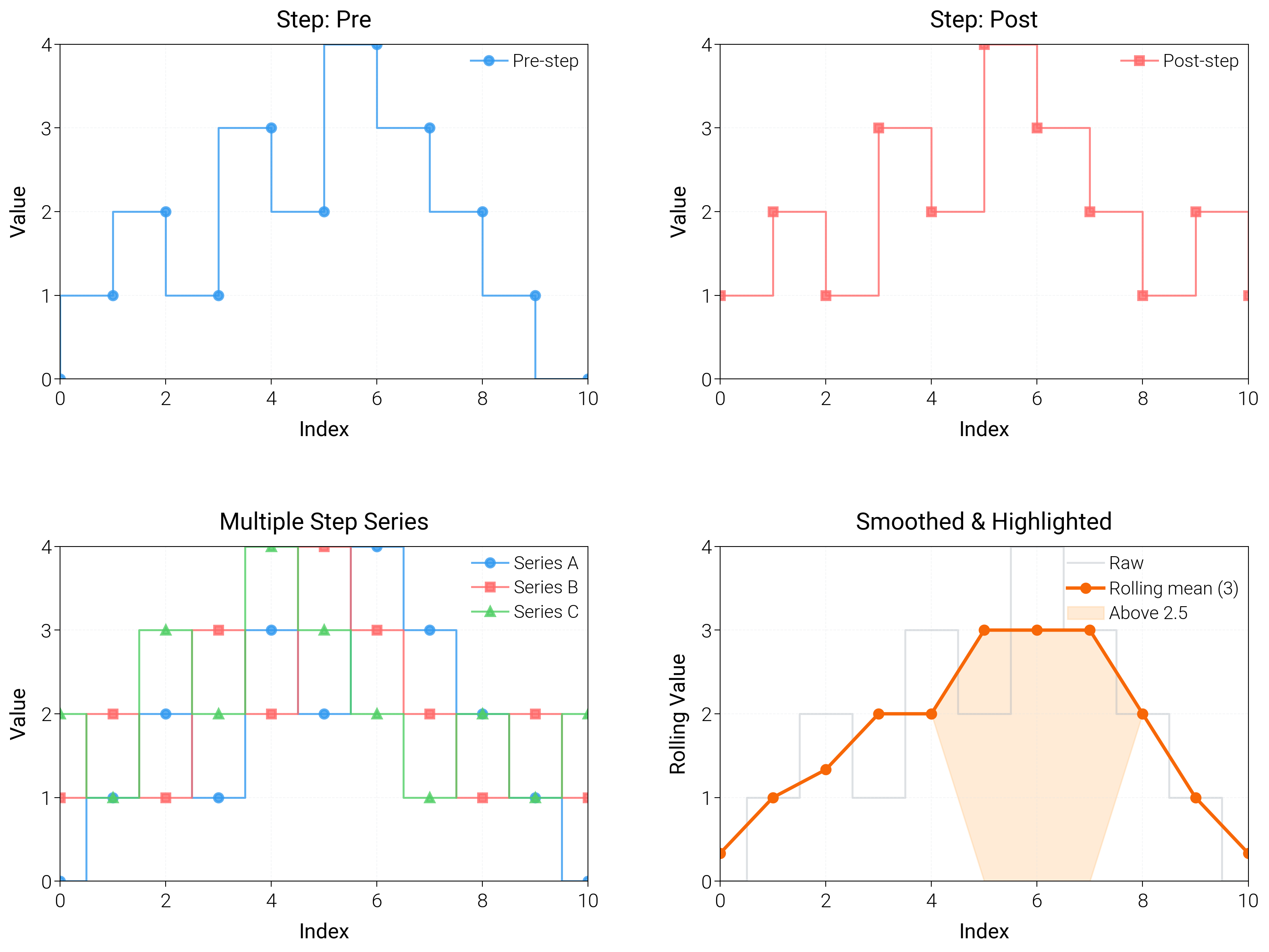
Build step charts that expose change points, holding periods, and cumulative shifts.
import matplotlib.pyplot as plt
import numpy as np

import dartwork_mpl as dm

# Apply scientific style preset
# Default: font.size=7.5, lines.linewidth=0.5, axes.linewidth=0.3
dm.style.use("scientific")

# Generate sample data
x = np.arange(0, 11)
y1 = np.array([0, 1, 2, 1, 3, 2, 4, 3, 2, 1, 0])
y2 = np.array([1, 2, 1, 3, 2, 4, 3, 2, 1, 2, 1])
y3 = np.array([2, 1, 3, 2, 4, 3, 2, 1, 2, 1, 2])

# Create figure (square-ish): 16 cm wide, 12 cm tall
fig = plt.figure(figsize=(dm.cm2in(16), dm.cm2in(12)), dpi=300)

# Create GridSpec for 4 subplots (2x2)
gs = fig.add_gridspec(
    nrows=2,
    ncols=2,
    left=0.08,
    right=0.98,
    top=0.92,
    bottom=0.12,
    wspace=0.25,
    hspace=0.5,
)

# Panel A: Basic step plot (default: 'pre')
ax1 = fig.add_subplot(gs[0, 0])
# Explicit parameters: where='pre', lw=0.7
ax1.step(
    x,
    y1,
    where="pre",
    color="oc.blue5",
    lw=0.7,
    marker="o",
    markersize=3,
    label="Pre-step",
    alpha=0.8,
)
ax1.set_xlabel("Index", fontsize=dm.fs(0))
ax1.set_ylabel("Value", fontsize=dm.fs(0))
ax1.set_title("Step: Pre", fontsize=dm.fs(1))
ax1.legend(loc="best", fontsize=dm.fs(-1), ncol=1)
ax1.set_xticks([0, 2, 4, 6, 8, 10])
ax1.set_yticks([0, 1, 2, 3, 4])
ax1.grid(True, linestyle="--", linewidth=0.3, alpha=0.3)

# Panel B: Post-step style
ax2 = fig.add_subplot(gs[0, 1])
# Explicit parameters: where='post', lw=0.7
ax2.step(
    x,
    y2,
    where="post",
    color="oc.red5",
    lw=0.7,
    marker="s",
    markersize=3,
    label="Post-step",
    alpha=0.8,
)
ax2.set_xlabel("Index", fontsize=dm.fs(0))
ax2.set_ylabel("Value", fontsize=dm.fs(0))
ax2.set_title("Step: Post", fontsize=dm.fs(1))
ax2.legend(loc="best", fontsize=dm.fs(-1), ncol=1)
ax2.set_xticks([0, 2, 4, 6, 8, 10])
ax2.set_yticks([0, 1, 2, 3, 4])
ax2.grid(True, linestyle="--", linewidth=0.3, alpha=0.3)

# Panel C: Multiple step series
ax3 = fig.add_subplot(gs[1, 0])
# Explicit parameters: where='mid', lw=0.7 for each
ax3.step(
    x,
    y1,
    where="mid",
    color="oc.blue5",
    lw=0.7,
    marker="o",
    markersize=3,
    label="Series A",
    alpha=0.8,
)
ax3.step(
    x,
    y2,
    where="mid",
    color="oc.red5",
    lw=0.7,
    marker="s",
    markersize=3,
    label="Series B",
    alpha=0.8,
)
ax3.step(
    x,
    y3,
    where="mid",
    color="oc.green5",
    lw=0.7,
    marker="^",
    markersize=3,
    label="Series C",
    alpha=0.8,
)
ax3.set_xlabel("Index", fontsize=dm.fs(0))
ax3.set_ylabel("Value", fontsize=dm.fs(0))
ax3.set_title("Multiple Step Series", fontsize=dm.fs(1))
ax3.legend(loc="best", fontsize=dm.fs(-1), ncol=1)
ax3.set_xticks([0, 2, 4, 6, 8, 10])
ax3.set_yticks([0, 1, 2, 3, 4])
ax3.grid(True, linestyle="--", linewidth=0.3, alpha=0.3)

# Panel D: Rolling mean with highlights
ax4 = fig.add_subplot(gs[1, 1])
window = 3
kernel = np.ones(window) / window
rolling = np.convolve(y1, kernel, mode="same")
ax4.step(x, y1, where="mid", color="oc.gray5", lw=0.7, alpha=0.4, label="Raw")
ax4.plot(
    x,
    rolling,
    color="oc.orange7",
    lw=1.2,
    marker="o",
    markersize=3,
    label="Rolling mean (3)",
)
ax4.fill_between(
    x,
    rolling,
    where=rolling >= 2.5,
    color="oc.orange3",
    alpha=0.3,
    interpolate=True,
    label="Above 2.5",
)
ax4.set_xlabel("Index", fontsize=dm.fs(0))
ax4.set_ylabel("Rolling Value", fontsize=dm.fs(0))
ax4.set_title("Smoothed & Highlighted", fontsize=dm.fs(1))
ax4.legend(loc="best", fontsize=dm.fs(-1))
ax4.set_xticks([0, 2, 4, 6, 8, 10])
ax4.set_yticks([0, 1, 2, 3, 4])
ax4.grid(True, linestyle="--", linewidth=0.3, alpha=0.3)

# Optimize layout
dm.simple_layout(fig, gs=gs)

# Show plot
plt.show()
Total running time of the script: (0 minutes 1.740 seconds)