Note
Go to the end to download the full example code.
Multiple Line Plots
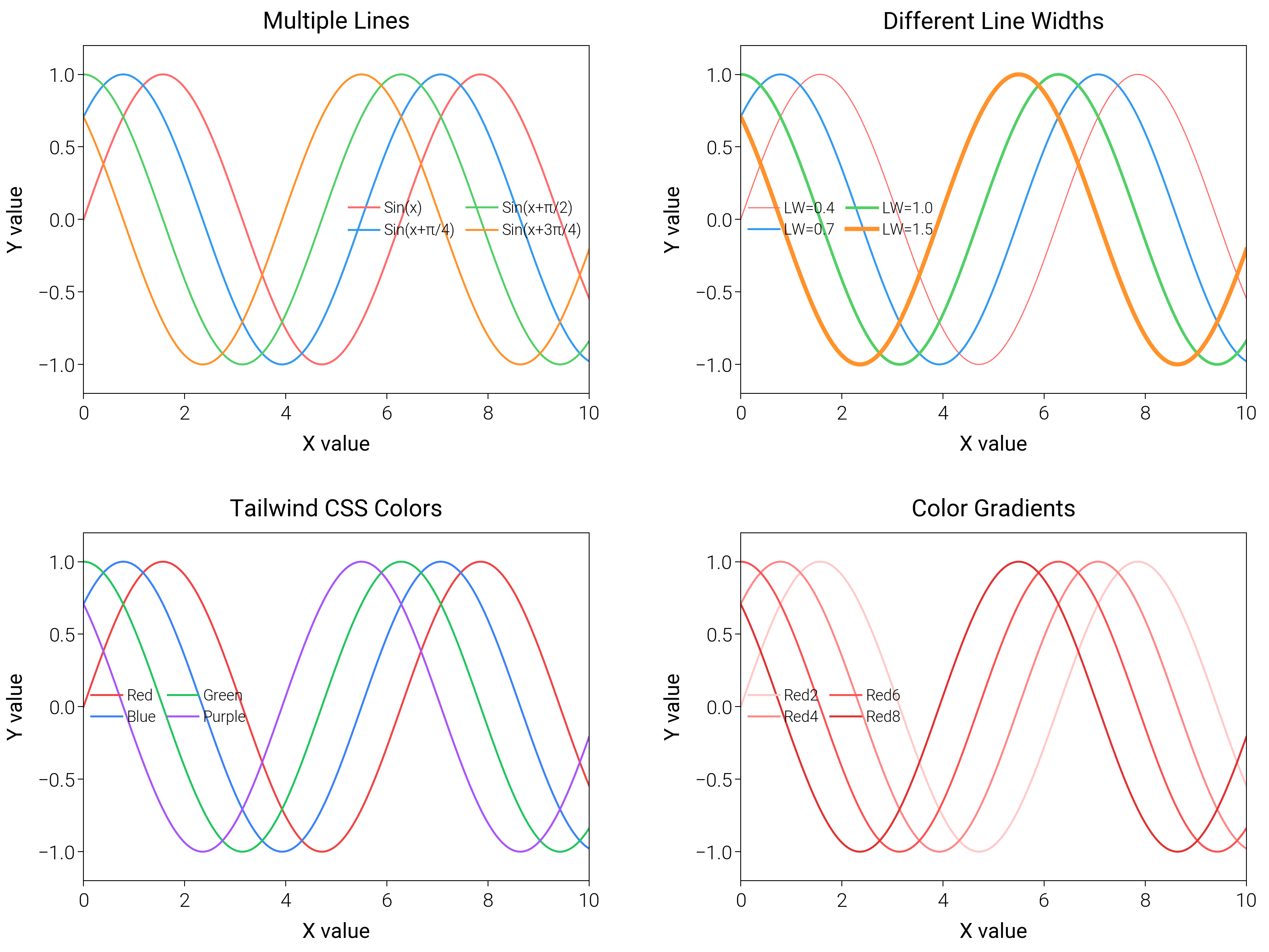
Stack several series with coordinated colors and labels to learn quick defaults for multi-line comparisons.
import matplotlib.pyplot as plt
import numpy as np

import dartwork_mpl as dm

# Apply scientific style preset
dm.style.use("scientific")

# Generate data
x = np.linspace(0, 10, 200)
y1 = np.sin(x)
y2 = np.sin(x + np.pi / 4)
y3 = np.sin(x + np.pi / 2)
y4 = np.sin(x + 3 * np.pi / 4)

# Create figure
# Double column figure: 17cm width, 2x2 layout
fig = plt.figure(figsize=(dm.cm2in(16), dm.cm2in(12)), dpi=300)

# Create GridSpec for 2x2 subplots
gs = fig.add_gridspec(
    nrows=2,
    ncols=2,
    left=0.08,
    right=0.98,
    top=0.95,
    bottom=0.08,
    wspace=0.3,
    hspace=0.4,
)

# Panel A: Basic multiple lines
ax1 = fig.add_subplot(gs[0, 0])
ax1.plot(x, y1, color="oc.red5", lw=0.7, label="Sin(x)")
ax1.plot(x, y2, color="oc.blue5", lw=0.7, label="Sin(x+π/4)")
ax1.plot(x, y3, color="oc.green5", lw=0.7, label="Sin(x+π/2)")
ax1.plot(x, y4, color="oc.orange5", lw=0.7, label="Sin(x+3π/4)")
ax1.set_xlabel("X value", fontsize=dm.fs(0))
ax1.set_ylabel("Y value", fontsize=dm.fs(0))
ax1.set_title("Multiple Lines", fontsize=dm.fs(1))
ax1.legend(loc="best", fontsize=dm.fs(-2), ncol=2, frameon=False)
ax1.set_xticks([0, 2, 4, 6, 8, 10])
ax1.set_yticks([-1, -0.5, 0, 0.5, 1])
ax1.set_ylim(-1.2, 1.2)

# Panel B: Different line widths
ax2 = fig.add_subplot(gs[0, 1])
ax2.plot(x, y1, color="oc.red5", lw=0.4, label="LW=0.4")
ax2.plot(x, y2, color="oc.blue5", lw=0.7, label="LW=0.7")
ax2.plot(x, y3, color="oc.green5", lw=1.0, label="LW=1.0")
ax2.plot(x, y4, color="oc.orange5", lw=1.5, label="LW=1.5")
ax2.set_xlabel("X value", fontsize=dm.fs(0))
ax2.set_ylabel("Y value", fontsize=dm.fs(0))
ax2.set_title("Different Line Widths", fontsize=dm.fs(1))
ax2.legend(loc="best", fontsize=dm.fs(-2), ncol=2, frameon=False)
ax2.set_xticks([0, 2, 4, 6, 8, 10])
ax2.set_yticks([-1, -0.5, 0, 0.5, 1])
ax2.set_ylim(-1.2, 1.2)

# Panel C: Tailwind CSS colors
ax3 = fig.add_subplot(gs[1, 0])
ax3.plot(x, y1, color="tw.red500", lw=0.7, label="Red")
ax3.plot(x, y2, color="tw.blue500", lw=0.7, label="Blue")
ax3.plot(x, y3, color="tw.green500", lw=0.7, label="Green")
ax3.plot(x, y4, color="tw.purple500", lw=0.7, label="Purple")
ax3.set_xlabel("X value", fontsize=dm.fs(0))
ax3.set_ylabel("Y value", fontsize=dm.fs(0))
ax3.set_title("Tailwind CSS Colors", fontsize=dm.fs(1))
ax3.legend(loc="best", fontsize=dm.fs(-2), ncol=2, frameon=False)
ax3.set_xticks([0, 2, 4, 6, 8, 10])
ax3.set_yticks([-1, -0.5, 0, 0.5, 1])
ax3.set_ylim(-1.2, 1.2)

# Panel D: Color gradients
ax4 = fig.add_subplot(gs[1, 1])
ax4.plot(x, y1, color="oc.red2", lw=0.7, label="Red2")
ax4.plot(x, y2, color="oc.red4", lw=0.7, label="Red4")
ax4.plot(x, y3, color="oc.red6", lw=0.7, label="Red6")
ax4.plot(x, y4, color="oc.red8", lw=0.7, label="Red8")
ax4.set_xlabel("X value", fontsize=dm.fs(0))
ax4.set_ylabel("Y value", fontsize=dm.fs(0))
ax4.set_title("Color Gradients", fontsize=dm.fs(1))
ax4.legend(loc="best", fontsize=dm.fs(-2), ncol=2, frameon=False)
ax4.set_xticks([0, 2, 4, 6, 8, 10])
ax4.set_yticks([-1, -0.5, 0, 0.5, 1])
ax4.set_ylim(-1.2, 1.2)

# Optimize layout
dm.simple_layout(fig, gs=gs)

# Save and show plot
plt.show()
Total running time of the script: (0 minutes 2.009 seconds)