Note
Go to the end to download the full example code.
Legends
Design legends with columns, geoms, backgrounds, and aligned handles that match publication styles.
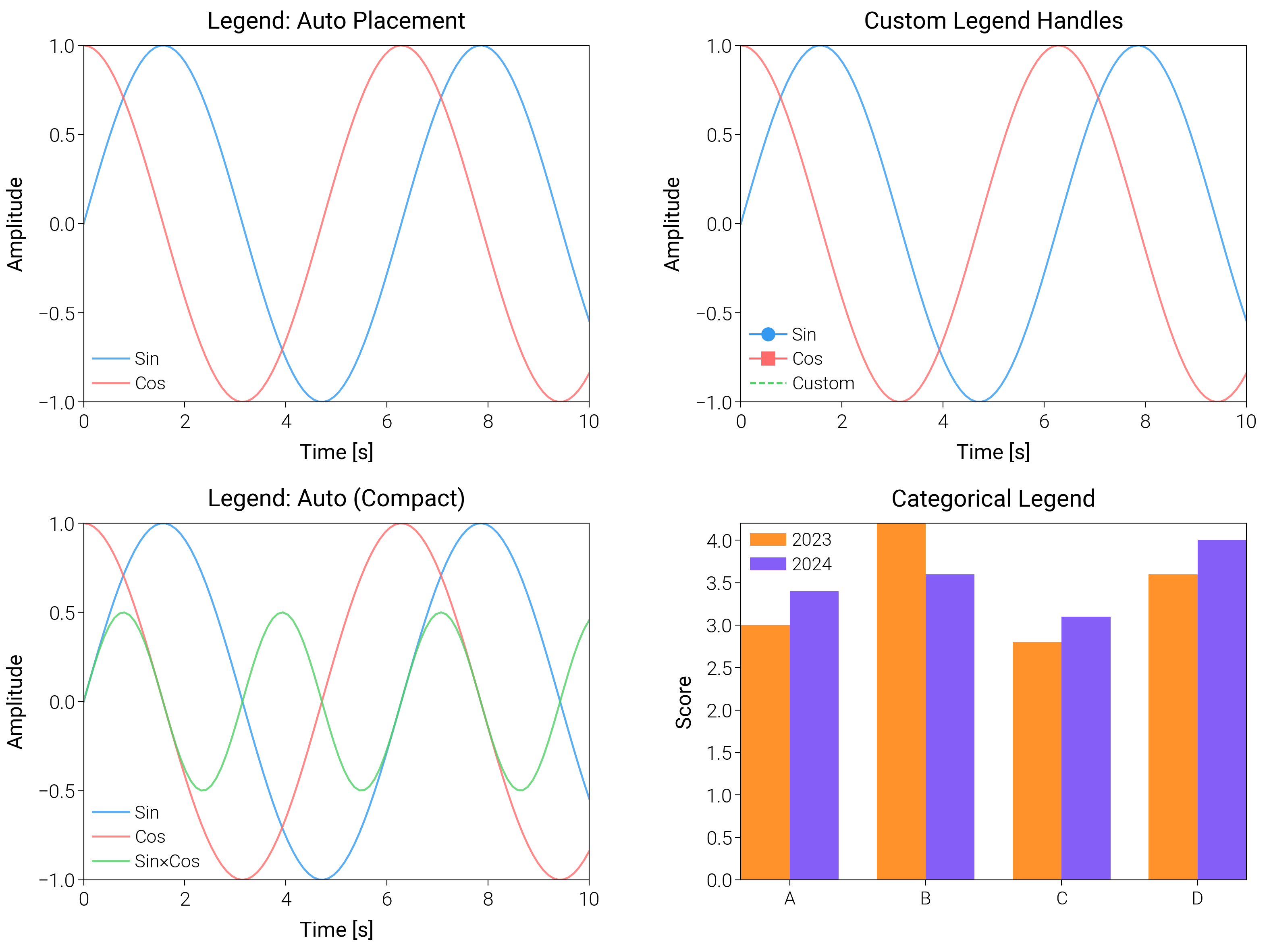
import matplotlib.pyplot as plt
import numpy as np

import dartwork_mpl as dm

# Apply scientific style preset
# Default: font.size=7.5, lines.linewidth=0.5, axes.linewidth=0.3
dm.style.use("scientific")

# Generate sample data
x = np.linspace(0, 10, 100)
y1 = np.sin(x)
y2 = np.cos(x)
y3 = np.sin(x) * np.cos(x)

# Create figure
# Two-by-two layout
fig = plt.figure(figsize=(dm.cm2in(16), dm.cm2in(12)), dpi=300)

# Create GridSpec for 4 subplots
gs = fig.add_gridspec(
    nrows=2,
    ncols=2,
    left=0.08,
    right=0.98,
    top=0.92,
    bottom=0.12,
    wspace=0.3,
    hspace=0.34,
)

# Panel A: Multiple legend locations
ax1 = fig.add_subplot(gs[0, 0])
ax1.plot(x, y1, color="oc.blue5", lw=0.7, label="Sin", alpha=0.8)
ax1.plot(x, y2, color="oc.red5", lw=0.7, label="Cos", alpha=0.8)
# Legend: loc='best', fontsize=dm.fs(-1), ncol=1
ax1.legend(loc="best", fontsize=dm.fs(-1), ncol=1, framealpha=0.9)
ax1.set_xlabel("Time [s]", fontsize=dm.fs(0))
ax1.set_ylabel("Amplitude", fontsize=dm.fs(0))
ax1.set_title("Legend: Auto Placement", fontsize=dm.fs(1))
ax1.set_xticks([0, 2, 4, 6, 8, 10])
ax1.set_yticks([-1, -0.5, 0, 0.5, 1])

# Panel B: Custom legend handles
ax2 = fig.add_subplot(gs[0, 1])
(line1,) = ax2.plot(x, y1, color="oc.blue5", lw=0.7, alpha=0.8)
(line2,) = ax2.plot(x, y2, color="oc.red5", lw=0.7, alpha=0.8)
# Create custom handles: explicit marker and line styles
from matplotlib.lines import Line2D

custom_handles = [
    Line2D(
        [0],
        [0],
        color="oc.blue5",
        lw=0.7,
        marker="o",
        markersize=4,
        label="Sin",
    ),
    Line2D(
        [0], [0], color="oc.red5", lw=0.7, marker="s", markersize=4, label="Cos"
    ),
    Line2D([0], [0], color="oc.green5", lw=0.7, linestyle="--", label="Custom"),
]
ax2.legend(
    handles=custom_handles,
    loc="best",
    fontsize=dm.fs(-1),
    ncol=1,
    framealpha=0.9,
)
ax2.set_xlabel("Time [s]", fontsize=dm.fs(0))
ax2.set_ylabel("Amplitude", fontsize=dm.fs(0))
ax2.set_title("Custom Legend Handles", fontsize=dm.fs(1))
ax2.set_xticks([0, 2, 4, 6, 8, 10])
ax2.set_yticks([-1, -0.5, 0, 0.5, 1])

# Panel C: Legend inside axes (kept compact for thumbnails)
ax3 = fig.add_subplot(gs[1, 0])
ax3.plot(x, y1, color="oc.blue5", lw=0.7, label="Sin", alpha=0.8)
ax3.plot(x, y2, color="oc.red5", lw=0.7, label="Cos", alpha=0.8)
ax3.plot(x, y3, color="oc.green5", lw=0.7, label="Sin×Cos", alpha=0.8)
# Legend tucked inside to avoid overflow
ax3.legend(loc="best", fontsize=dm.fs(-1), ncol=1, framealpha=0.9)
ax3.set_xlabel("Time [s]", fontsize=dm.fs(0))
ax3.set_ylabel("Amplitude", fontsize=dm.fs(0))
ax3.set_title("Legend: Auto (Compact)", fontsize=dm.fs(1))
ax3.set_xticks([0, 2, 4, 6, 8, 10])
ax3.set_yticks([-1, -0.5, 0, 0.5, 1])

# Panel D: Patch legend for categorical bars
ax4 = fig.add_subplot(gs[1, 1])
cats = ["A", "B", "C", "D"]
idx = np.arange(len(cats))
bar1 = ax4.bar(
    idx - 0.18, [3, 4.2, 2.8, 3.6], width=0.36, color="oc.orange5", label="2023"
)
bar2 = ax4.bar(
    idx + 0.18,
    [3.4, 3.6, 3.1, 4.0],
    width=0.36,
    color="oc.violet5",
    label="2024",
)
ax4.set_xticks(idx)
ax4.set_xticklabels(cats, fontsize=dm.fs(-1))
ax4.set_ylabel("Score", fontsize=dm.fs(0))
ax4.set_title("Categorical Legend", fontsize=dm.fs(1))
ax4.legend(loc="best", fontsize=dm.fs(-1), framealpha=0.9)

# Optimize layout
dm.simple_layout(fig, gs=gs)

# Show plot
plt.show()
Total running time of the script: (0 minutes 1.924 seconds)