Note
Go to the end to download the full example code.
Scatter Plots
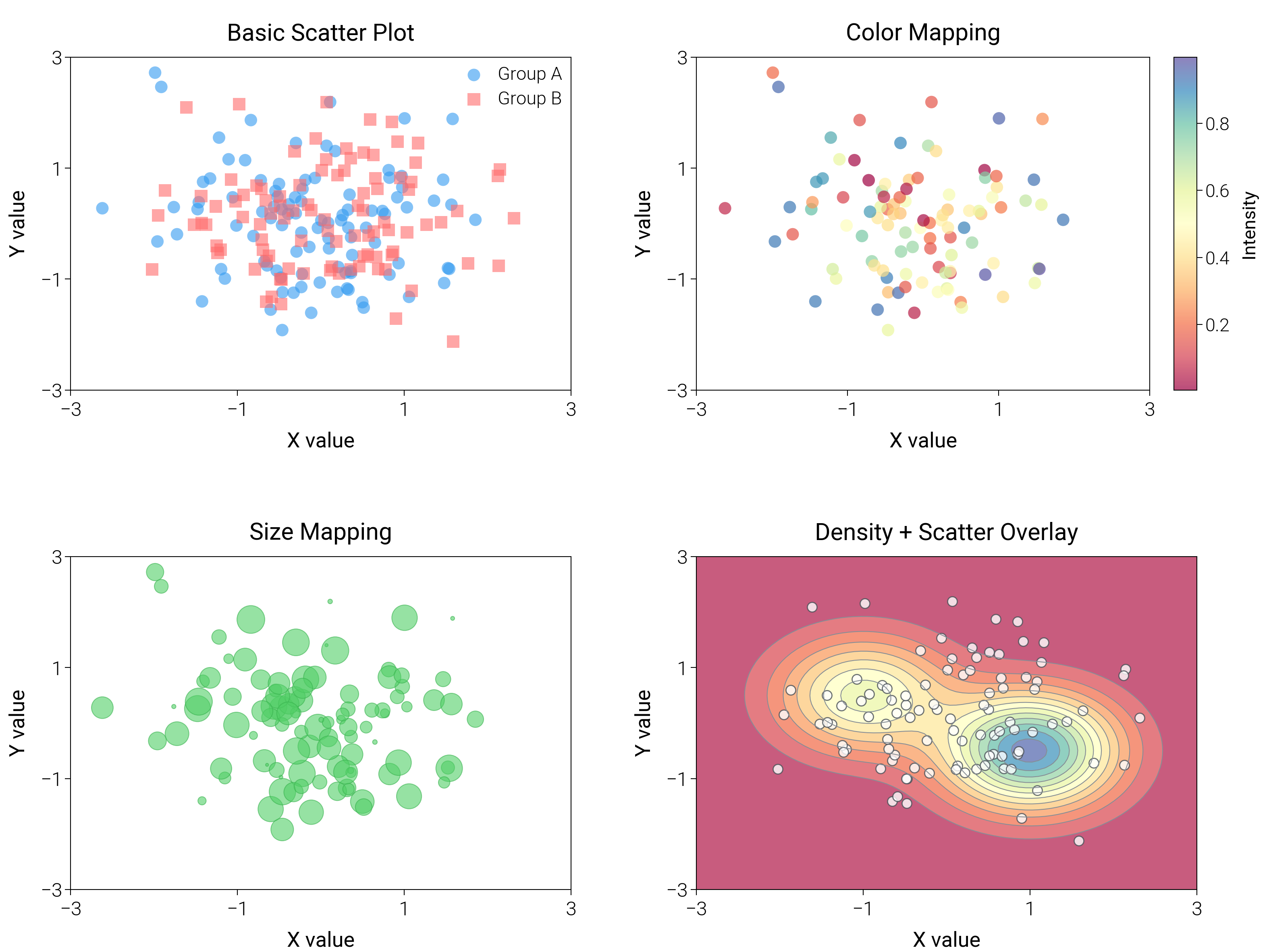
Contrast marker shapes, color encodings, and density shading to show clusters and overlaps more clearly.
import matplotlib.pyplot as plt
import numpy as np
from mpl_toolkits.axes_grid1 import make_axes_locatable

import dartwork_mpl as dm

# Apply scientific style preset
# Default: font.size=7.5, lines.linewidth=0.5, axes.linewidth=0.3
dm.style.use("scientific")

# Generate sample data
np.random.seed(42)
n = 100
x1 = np.random.randn(n)
y1 = np.random.randn(n)
x2 = np.random.randn(n)
y2 = np.random.randn(n)
x3 = np.random.randn(n)
y3 = np.random.randn(n)

# Color mapping data
colors = np.random.rand(n)
# Size mapping data
sizes = 100 * np.random.rand(n)

# Create figure
# Square-ish layout: 16 cm wide, 12 cm tall, 2x2 grid
fig = plt.figure(figsize=(dm.cm2in(16), dm.cm2in(12)), dpi=300)

# Create GridSpec for 4 subplots (2x2)
gs = fig.add_gridspec(
    nrows=2,
    ncols=2,
    left=0.08,
    right=0.98,
    top=0.92,
    bottom=0.12,
    wspace=0.25,
    hspace=0.5,
)

# Panel A: Basic scatter with different markers
ax1 = fig.add_subplot(gs[0, 0])
# Explicit parameters: markersize=4, lw=0 (no edge), alpha=0.6
ax1.scatter(
    x1,
    y1,
    c="oc.blue5",
    s=20,
    marker="o",
    edgecolors="none",
    alpha=0.6,
    label="Group A",
)
ax1.scatter(
    x2,
    y2,
    c="oc.red5",
    s=20,
    marker="s",
    edgecolors="none",
    alpha=0.6,
    label="Group B",
)
ax1.set_xlabel("X value", fontsize=dm.fs(0))
ax1.set_ylabel("Y value", fontsize=dm.fs(0))
ax1.set_title("Basic Scatter Plot", fontsize=dm.fs(1))
ax1.legend(loc="best", fontsize=dm.fs(-1), ncol=1)
# Set explicit ticks
ax1.set_xticks([-3, -1, 1, 3])
ax1.set_yticks([-3, -1, 1, 3])
ax1.set_xlim(-3, 3)
ax1.set_ylim(-3, 3)

# Panel B: Scatter with color mapping
ax2 = fig.add_subplot(gs[0, 1])
# Color mapping: c=colors, cmap='dm.Spectral', s=20 (size), alpha=0.7
scatter2 = ax2.scatter(
    x1, y1, c=colors, s=20, cmap="dm.Spectral", edgecolors="none", alpha=0.7
)
ax2.set_xlabel("X value", fontsize=dm.fs(0))
ax2.set_ylabel("Y value", fontsize=dm.fs(0))
ax2.set_title("Color Mapping", fontsize=dm.fs(1))
# Add colorbar with dedicated side axis
divider = make_axes_locatable(ax2)
cax2 = divider.append_axes("right", size="5%", pad=0.12)
cbar2 = fig.colorbar(scatter2, cax=cax2)
cbar2.set_label("Intensity", fontsize=dm.fs(-1))
cbar2.ax.tick_params(labelsize=dm.fs(-1))
# Set explicit ticks/limits
ax2.set_xticks([-3, -1, 1, 3])
ax2.set_yticks([-3, -1, 1, 3])
ax2.set_xlim(-3, 3)
ax2.set_ylim(-3, 3)

# Panel C: Scatter with size mapping
ax3 = fig.add_subplot(gs[1, 0])
# Size mapping: s=sizes, c='oc.green5', alpha=0.6
scatter3 = ax3.scatter(
    x1,
    y1,
    s=sizes,
    c="oc.green5",
    edgecolors="oc.green7",
    linewidths=0.3,
    alpha=0.6,
)
ax3.set_xlabel("X value", fontsize=dm.fs(0))
ax3.set_ylabel("Y value", fontsize=dm.fs(0))
ax3.set_title("Size Mapping", fontsize=dm.fs(1))
# Set explicit ticks
ax3.set_xticks([-3, -1, 1, 3])
ax3.set_yticks([-3, -1, 1, 3])
ax3.set_xlim(-3, 3)
ax3.set_ylim(-3, 3)

# Panel D: Density background + contour overlays
ax4 = fig.add_subplot(gs[1, 1])
grid_x, grid_y = np.meshgrid(np.linspace(-3, 3, 80), np.linspace(-3, 3, 80))
dens = np.exp(-((grid_x - 1) ** 2 + (grid_y + 0.5) ** 2)) + 0.6 * np.exp(
    -((grid_x + 1) ** 2 + (grid_y - 0.5) ** 2)
)
ax4.contourf(grid_x, grid_y, dens, cmap="dm.Spectral", alpha=0.7, levels=12)
ax4.contour(grid_x, grid_y, dens, colors="oc.gray6", linewidths=0.3, levels=12)
ax4.scatter(
    x2, y2, c="white", s=12, edgecolors="oc.gray7", linewidths=0.4, alpha=0.8
)
ax4.set_xlabel("X value", fontsize=dm.fs(0))
ax4.set_ylabel("Y value", fontsize=dm.fs(0))
ax4.set_title("Density + Scatter Overlay", fontsize=dm.fs(1))
ax4.set_xticks([-3, -1, 1, 3])
ax4.set_yticks([-3, -1, 1, 3])
ax4.set_xlim(-3, 3)
ax4.set_ylim(-3, 3)

# Optimize layout
dm.simple_layout(fig, gs=gs)

# Show plot
plt.show()
Total running time of the script: (0 minutes 1.304 seconds)