Note
Go to the end to download the full example code.
Marker Styles
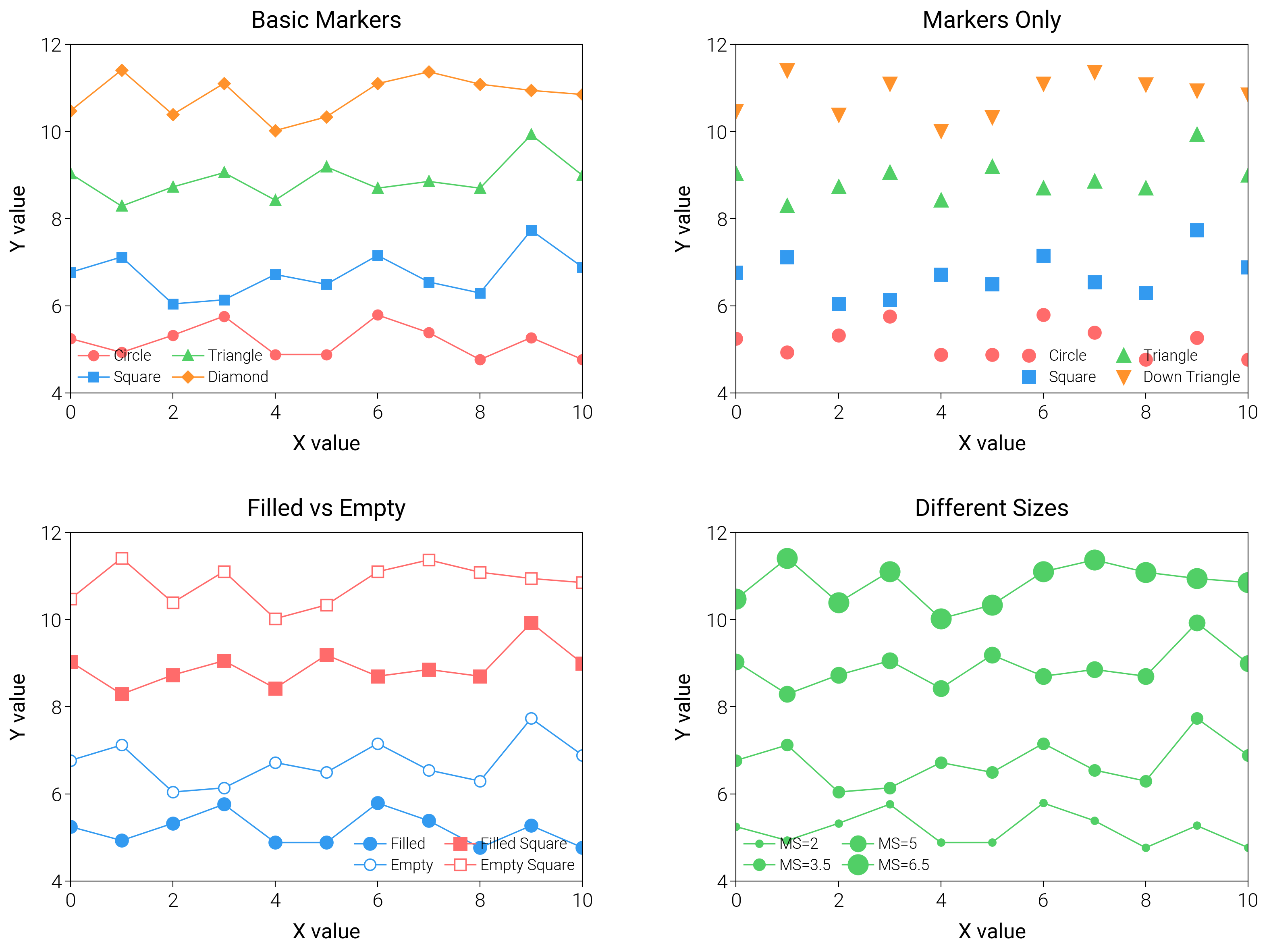
Mix markers with strokes, fills, and offsets to encode categories or emphasis without clutter.
import matplotlib.pyplot as plt
import numpy as np

import dartwork_mpl as dm

# Apply scientific style preset
dm.style.use("scientific")

# Generate data
np.random.seed(42)
x = np.arange(0, 11, 1)
y1 = 5 + np.random.randn(11) * 0.5
y2 = 7 + np.random.randn(11) * 0.5
y3 = 9 + np.random.randn(11) * 0.5
y4 = 11 + np.random.randn(11) * 0.5

# Create figure
# Double column figure: 17cm width, 2x2 layout
fig = plt.figure(figsize=(dm.cm2in(16), dm.cm2in(12)), dpi=300)

# Create GridSpec for 2x2 subplots
gs = fig.add_gridspec(
    nrows=2,
    ncols=2,
    left=0.08,
    right=0.98,
    top=0.95,
    bottom=0.08,
    wspace=0.3,
    hspace=0.4,
)

# Panel A: Basic marker styles
ax1 = fig.add_subplot(gs[0, 0])
ax1.plot(x, y1, "o-", color="oc.red5", lw=0.5, ms=3, label="Circle")
ax1.plot(x, y2, "s-", color="oc.blue5", lw=0.5, ms=3, label="Square")
ax1.plot(x, y3, "^-", color="oc.green5", lw=0.5, ms=3, label="Triangle")
ax1.plot(x, y4, "D-", color="oc.orange5", lw=0.5, ms=2.5, label="Diamond")
ax1.set_xlabel("X value", fontsize=dm.fs(0))
ax1.set_ylabel("Y value", fontsize=dm.fs(0))
ax1.set_title("Basic Markers", fontsize=dm.fs(1))
ax1.legend(loc="best", fontsize=dm.fs(-2), ncol=2, frameon=False)
ax1.set_xticks([0, 2, 4, 6, 8, 10])
ax1.set_yticks([4, 6, 8, 10, 12])

# Panel B: Markers without lines
ax2 = fig.add_subplot(gs[0, 1])
ax2.plot(x, y1, "o", color="oc.red5", ms=4, label="Circle")
ax2.plot(x, y2, "s", color="oc.blue5", ms=4, label="Square")
ax2.plot(x, y3, "^", color="oc.green5", ms=4, label="Triangle")
ax2.plot(x, y4, "v", color="oc.orange5", ms=4, label="Down Triangle")
ax2.set_xlabel("X value", fontsize=dm.fs(0))
ax2.set_ylabel("Y value", fontsize=dm.fs(0))
ax2.set_title("Markers Only", fontsize=dm.fs(1))
ax2.legend(loc="best", fontsize=dm.fs(-2), ncol=2, frameon=False)
ax2.set_xticks([0, 2, 4, 6, 8, 10])
ax2.set_yticks([4, 6, 8, 10, 12])

# Panel C: Filled and empty markers
ax3 = fig.add_subplot(gs[1, 0])
ax3.plot(
    x,
    y1,
    "o-",
    color="oc.blue5",
    lw=0.5,
    ms=4,
    markerfacecolor="oc.blue5",
    label="Filled",
)
ax3.plot(
    x,
    y2,
    "o-",
    color="oc.blue5",
    lw=0.5,
    ms=4,
    markerfacecolor="white",
    markeredgewidth=0.5,
    label="Empty",
)
ax3.plot(
    x,
    y3,
    "s-",
    color="oc.red5",
    lw=0.5,
    ms=4,
    markerfacecolor="oc.red5",
    label="Filled Square",
)
ax3.plot(
    x,
    y4,
    "s-",
    color="oc.red5",
    lw=0.5,
    ms=4,
    markerfacecolor="white",
    markeredgewidth=0.5,
    label="Empty Square",
)
ax3.set_xlabel("X value", fontsize=dm.fs(0))
ax3.set_ylabel("Y value", fontsize=dm.fs(0))
ax3.set_title("Filled vs Empty", fontsize=dm.fs(1))
ax3.legend(loc="best", fontsize=dm.fs(-2), ncol=2, frameon=False)
ax3.set_xticks([0, 2, 4, 6, 8, 10])
ax3.set_yticks([4, 6, 8, 10, 12])

# Panel D: Various marker sizes
ax4 = fig.add_subplot(gs[1, 1])
ax4.plot(x, y1, "o-", color="oc.green5", lw=0.5, ms=2, label="MS=2")
ax4.plot(x, y2, "o-", color="oc.green5", lw=0.5, ms=3.5, label="MS=3.5")
ax4.plot(x, y3, "o-", color="oc.green5", lw=0.5, ms=5, label="MS=5")
ax4.plot(x, y4, "o-", color="oc.green5", lw=0.5, ms=6.5, label="MS=6.5")
ax4.set_xlabel("X value", fontsize=dm.fs(0))
ax4.set_ylabel("Y value", fontsize=dm.fs(0))
ax4.set_title("Different Sizes", fontsize=dm.fs(1))
ax4.legend(loc="best", fontsize=dm.fs(-2), ncol=2, frameon=False)
ax4.set_xticks([0, 2, 4, 6, 8, 10])
ax4.set_yticks([4, 6, 8, 10, 12])

# Optimize layout
dm.simple_layout(fig, gs=gs)

# Save and show plot
plt.show()
Total running time of the script: (0 minutes 1.981 seconds)