Note
Go to the end to download the full example code.
Horizontal Bar Charts
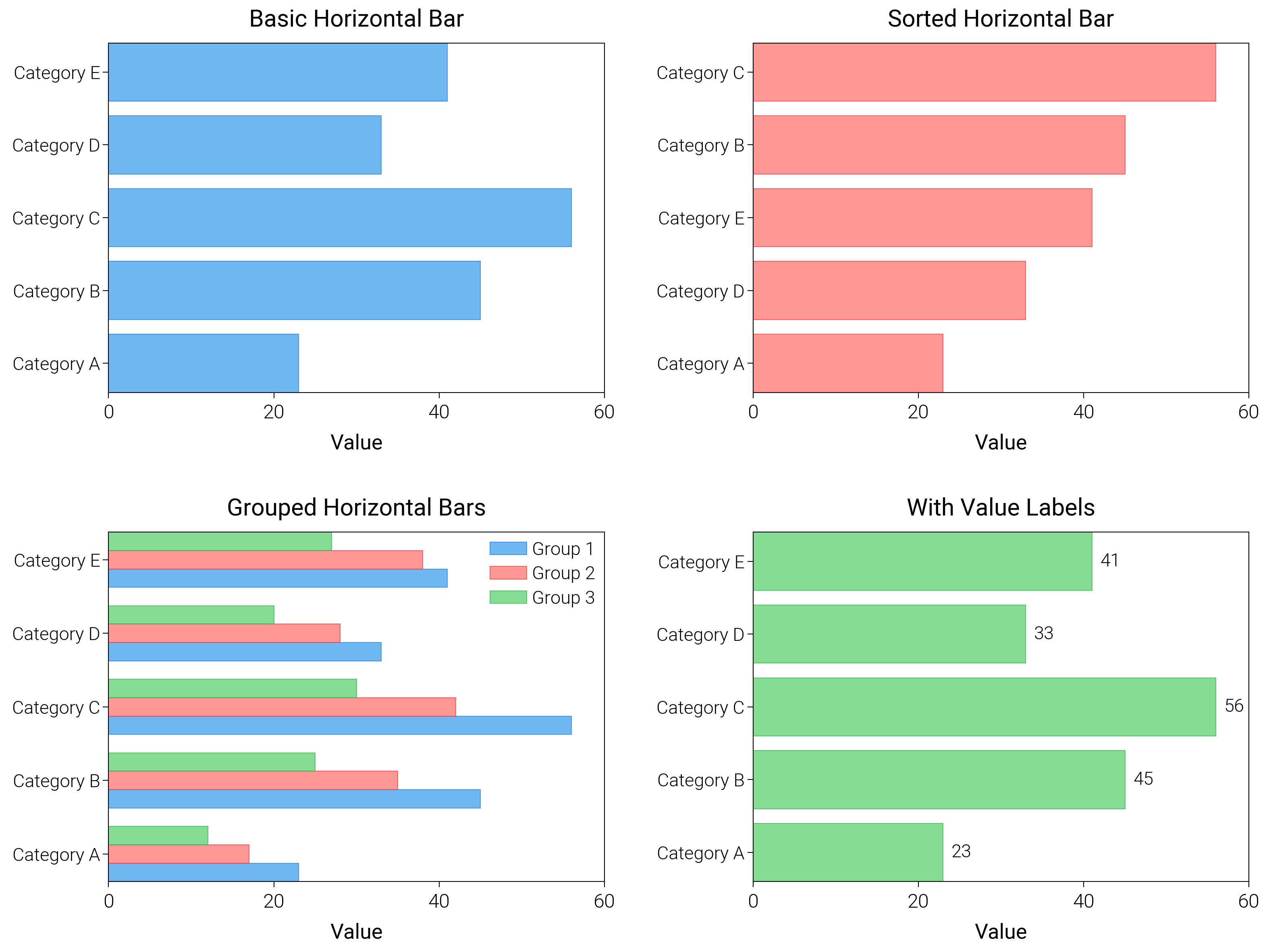
Rotate to horizontal bars, ranking views, and long labels that would otherwise collide.
import matplotlib.pyplot as plt
import numpy as np

import dartwork_mpl as dm

# Apply scientific style preset
dm.style.use("scientific")

# Sample data
categories = [
    "Category A",
    "Category B",
    "Category C",
    "Category D",
    "Category E",
]
values1 = np.array([23, 45, 56, 33, 41])
values2 = np.array([17, 35, 42, 28, 38])
values3 = np.array([12, 25, 30, 20, 27])

# Create figure
# Double column figure: 17cm width, 2x2 layout
fig = plt.figure(figsize=(dm.cm2in(16), dm.cm2in(12)), dpi=300)

# Create GridSpec for 2x2 subplots
gs = fig.add_gridspec(
    nrows=2,
    ncols=2,
    left=0.15,
    right=0.98,
    top=0.95,
    bottom=0.08,
    wspace=0.3,
    hspace=0.4,
)

# Panel A: Basic horizontal bar
ax1 = fig.add_subplot(gs[0, 0])
y_pos = np.arange(len(categories))
ax1.barh(
    y_pos,
    values1,
    color="oc.blue5",
    alpha=0.7,
    edgecolor="oc.blue7",
    linewidth=0.3,
)
ax1.set_yticks(y_pos)
ax1.set_yticklabels(categories, fontsize=dm.fs(-1))
ax1.set_xlabel("Value", fontsize=dm.fs(0))
ax1.set_title("Basic Horizontal Bar", fontsize=dm.fs(1))
ax1.set_xticks([0, 20, 40, 60])

# Panel B: Sorted horizontal bar
ax2 = fig.add_subplot(gs[0, 1])
sorted_idx = np.argsort(values1)
ax2.barh(
    y_pos,
    values1[sorted_idx],
    color="oc.red5",
    alpha=0.7,
    edgecolor="oc.red7",
    linewidth=0.3,
)
ax2.set_yticks(y_pos)
ax2.set_yticklabels([categories[i] for i in sorted_idx], fontsize=dm.fs(-1))
ax2.set_xlabel("Value", fontsize=dm.fs(0))
ax2.set_title("Sorted Horizontal Bar", fontsize=dm.fs(1))
ax2.set_xticks([0, 20, 40, 60])

# Panel C: Grouped horizontal bars
ax3 = fig.add_subplot(gs[1, 0])
height = 0.25
ax3.barh(
    y_pos - height,
    values1,
    height,
    color="oc.blue5",
    alpha=0.7,
    edgecolor="oc.blue7",
    linewidth=0.3,
    label="Group 1",
)
ax3.barh(
    y_pos,
    values2,
    height,
    color="oc.red5",
    alpha=0.7,
    edgecolor="oc.red7",
    linewidth=0.3,
    label="Group 2",
)
ax3.barh(
    y_pos + height,
    values3,
    height,
    color="oc.green5",
    alpha=0.7,
    edgecolor="oc.green7",
    linewidth=0.3,
    label="Group 3",
)
ax3.set_yticks(y_pos)
ax3.set_yticklabels(categories, fontsize=dm.fs(-1))
ax3.set_xlabel("Value", fontsize=dm.fs(0))
ax3.set_title("Grouped Horizontal Bars", fontsize=dm.fs(1))
ax3.legend(loc="best", fontsize=dm.fs(-1))
ax3.set_xticks([0, 20, 40, 60])

# Panel D: Horizontal bar with value labels
ax4 = fig.add_subplot(gs[1, 1])
bars = ax4.barh(
    y_pos,
    values1,
    color="oc.green5",
    alpha=0.7,
    edgecolor="oc.green7",
    linewidth=0.3,
)
ax4.set_yticks(y_pos)
ax4.set_yticklabels(categories, fontsize=dm.fs(-1))
ax4.set_xlabel("Value", fontsize=dm.fs(0))
ax4.set_title("With Value Labels", fontsize=dm.fs(1))
# Add value labels
for i, (_bar, val) in enumerate(zip(bars, values1, strict=False)):
    ax4.text(val + 1, i, f"{val}", va="center", fontsize=dm.fs(-1))
ax4.set_xticks([0, 20, 40, 60])

# Optimize layout
dm.simple_layout(fig, gs=gs)

# Save and show plot
plt.show()
Total running time of the script: (0 minutes 1.501 seconds)