Note
Go to the end to download the full example code.
Custom Ticks
Control tick placement and formatting, from numeric to log scales, with custom formatters.
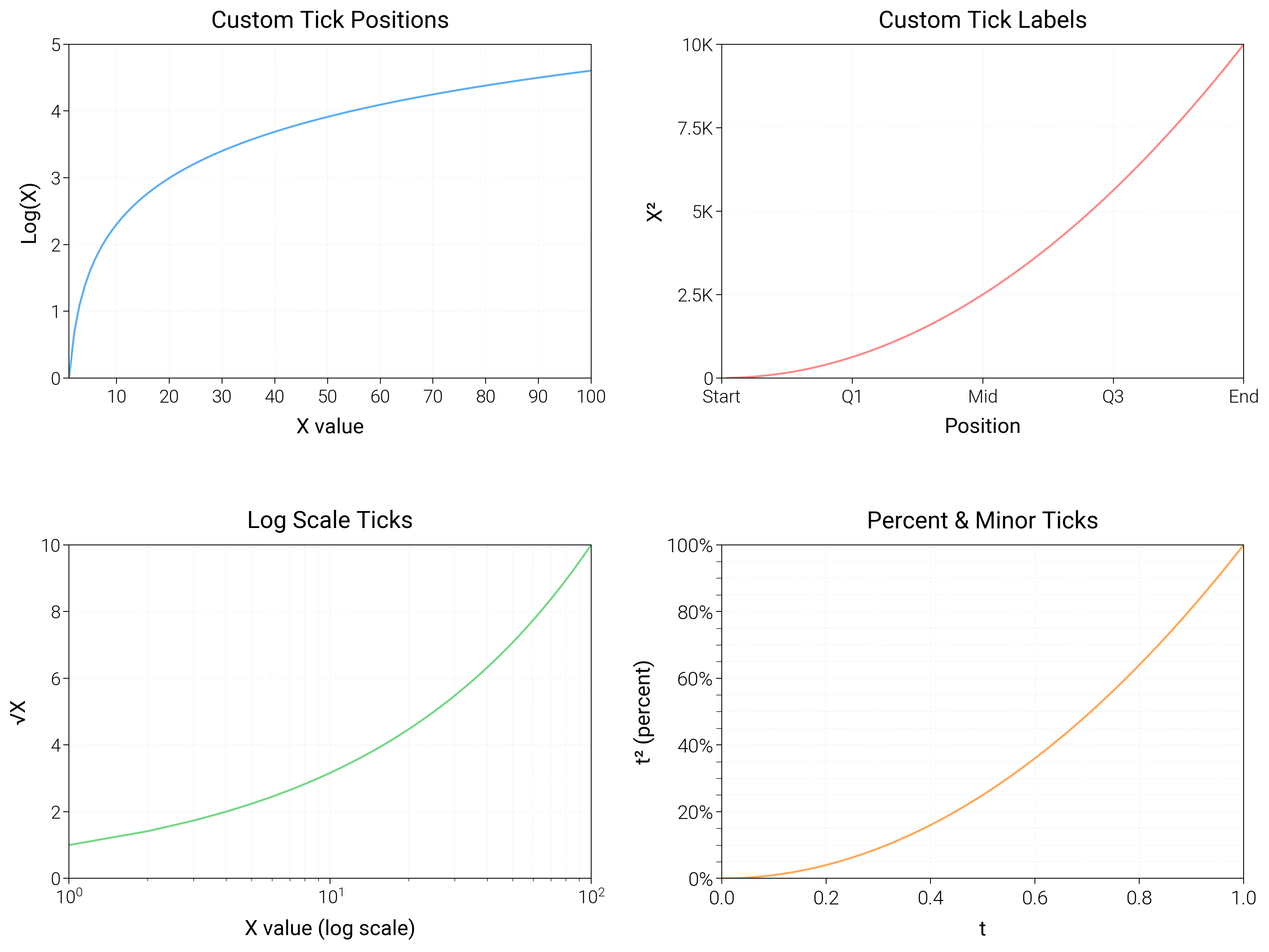
import matplotlib.pyplot as plt
import matplotlib.ticker as ticker
import numpy as np

import dartwork_mpl as dm

# Apply scientific style preset
# Default: font.size=7.5, lines.linewidth=0.5, axes.linewidth=0.3
dm.style.use("scientific")

# Generate sample data
x = np.linspace(1, 100, 100)
y1 = np.log(x)
y2 = x**2
y3 = np.sqrt(x)

# Create figure (square-ish): 16 cm wide, 12 cm tall
fig = plt.figure(figsize=(dm.cm2in(16), dm.cm2in(12)), dpi=300)

# Create GridSpec for 4 subplots (2x2)
gs = fig.add_gridspec(
    nrows=2,
    ncols=2,
    left=0.08,
    right=0.98,
    top=0.92,
    bottom=0.12,
    wspace=0.25,
    hspace=0.5,
)

# Panel A: Custom tick positions
ax1 = fig.add_subplot(gs[0, 0])
ax1.plot(x, y1, color="oc.blue5", lw=0.7, alpha=0.8)
# Explicit tick positions: [10, 20, 30, 40, 50, 60, 70, 80, 90, 100]
ax1.set_xticks([10, 20, 30, 40, 50, 60, 70, 80, 90, 100])
ax1.set_yticks([0, 1, 2, 3, 4, 5])
ax1.tick_params(axis="both", labelsize=dm.fs(-1))
ax1.set_xlabel("X value", fontsize=dm.fs(0))
ax1.set_ylabel("Log(X)", fontsize=dm.fs(0))
ax1.set_title("Custom Tick Positions", fontsize=dm.fs(1))
ax1.grid(True, linestyle="--", linewidth=0.3, alpha=0.3)

# Panel B: Custom tick labels
ax2 = fig.add_subplot(gs[0, 1])
ax2.plot(x, y2, color="oc.red5", lw=0.7, alpha=0.8)
# Explicit tick positions and custom labels
tick_positions = [0, 25, 50, 75, 100]
tick_labels = ["Start", "Q1", "Mid", "Q3", "End"]
ax2.set_xticks(tick_positions)
ax2.set_xticklabels(tick_labels, fontsize=dm.fs(-1))
ax2.set_yticks([0, 2500, 5000, 7500, 10000])
ax2.set_yticklabels(["0", "2.5K", "5K", "7.5K", "10K"], fontsize=dm.fs(-1))
ax2.set_xlabel("Position", fontsize=dm.fs(0))
ax2.set_ylabel("X²", fontsize=dm.fs(0))
ax2.set_title("Custom Tick Labels", fontsize=dm.fs(1))
ax2.grid(True, linestyle="--", linewidth=0.3, alpha=0.3)

# Panel C: Log scale ticks
ax3 = fig.add_subplot(gs[1, 0])
ax3.plot(x, y3, color="oc.green5", lw=0.7, alpha=0.8)
# Set log scale: basex=10
ax3.set_xscale("log")
# Use LogLocator for better tick spacing
ax3.xaxis.set_major_locator(ticker.LogLocator(base=10, numticks=5))
ax3.xaxis.set_minor_locator(
    ticker.LogLocator(base=10, subs=np.arange(2, 10), numticks=10)
)
# Format log scale labels
ax3.xaxis.set_major_formatter(ticker.LogFormatterSciNotation())
ax3.set_yticks([0, 2, 4, 6, 8, 10])
ax3.tick_params(axis="both", labelsize=dm.fs(-1))
ax3.set_xlabel("X value (log scale)", fontsize=dm.fs(0))
ax3.set_ylabel("√X", fontsize=dm.fs(0))
ax3.set_title("Log Scale Ticks", fontsize=dm.fs(1))
ax3.grid(True, linestyle="--", linewidth=0.3, alpha=0.3, which="both")

# Panel D: Secondary ticks and percent formatter
ax4 = fig.add_subplot(gs[1, 1])
t = np.linspace(0, 1, 100)
ax4.plot(t, t**2, color="oc.orange5", lw=0.7, alpha=0.8)
ax4.yaxis.set_major_formatter(ticker.PercentFormatter(1.0, decimals=0))
ax4.yaxis.set_minor_locator(ticker.MultipleLocator(0.05))
ax4.tick_params(axis="y", which="minor", length=2)
ax4.set_xlabel("t", fontsize=dm.fs(0))
ax4.set_ylabel("t² (percent)", fontsize=dm.fs(0))
ax4.set_title("Percent & Minor Ticks", fontsize=dm.fs(1))
ax4.grid(True, linestyle="--", linewidth=0.3, alpha=0.3, which="both")

# Optimize layout
dm.simple_layout(fig, gs=gs)

# Show plot
plt.show()
Total running time of the script: (0 minutes 2.169 seconds)